Physical Address!
Globlar OÜ Harjumaa Tallinn, Estonia!
Physical Address!
Globlar OÜ Harjumaa Tallinn, Estonia!

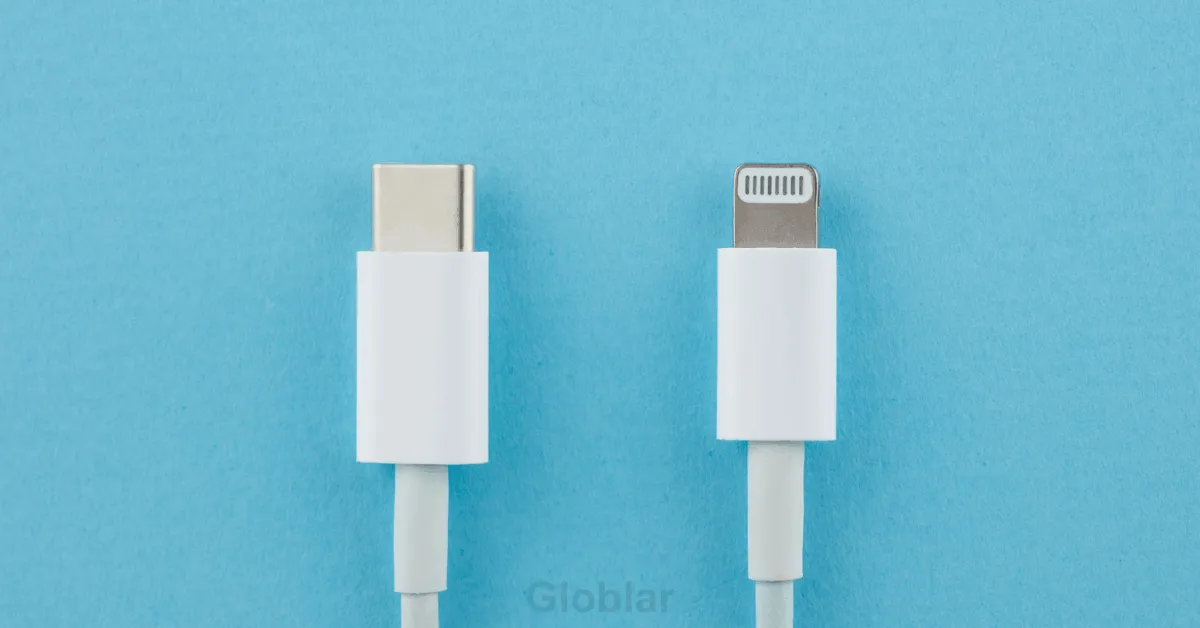
You bought a fast USB-C charger. Your phone still takes two hours to hit 100%. Meanwhile your friend plugs into what looks like the exact same port on the exact same brick and they’re at 50% before you’ve even finished your coffee.
Same connector. Same shape and same little oval port. Completely different results.
That’s not bad luck. It’s not a defective phone. It’s the single most misunderstood thing about USB-C and once you understand it you’ll never buy the wrong charger again.
Here’s the truth almost no one tells you plainly. The USB-C port is just a shape. It’s not a speed. A $6 charger and a $60 charger can use the identical connector and still be worlds apart in how fast they push power into your device. By the end of this article you’ll know exactly why and exactly what to check before you buy your next charger or cable.
USB-C charging speed depends on four separate things working together not one.
Get any one of these wrong and your fast charger quietly turns into a slow one. Let’s break each piece down so you actually understand what’s happening inside that little brick not just memorize a rule.
This is the part that confuses more people than anything else so let’s nail it early.
When USB-C launched it was designed to be universal. One reversible connector that could replace USB-A, micro-USB and a dozen proprietary charging tips. That was a genuinely great idea. The problem is that manufacturers only had to agree on the shape of the plug not on how much power flows through it.
Think of USB-C like a standard electrical wall outlet in a house. Every outlet in every room looks the same. The one might be wired to a 15-amp circuit for lamps. The another might be a dedicated 30-amp circuit for a washing machine. Plug the same appliance into both and you’ll get very different results even though the outlet shape is identical.
USB-C works the same way. The port tells you nothing about the power behind it. That’s why two chargers that look identical on a store shelf can differ by 10x or more in actual charging speed.
To understand why some chargers are faster you need three numbers and they’re simpler than they sound.
A basic old-style USB port delivers a fixed 5 volts at around 0.5 to 1 amp roughly 2.5 to 5 watts. That’s why old chargers felt painfully slow. A modern USB-C fast charger can push up to 20 volts at 5 amps which is 100 watts and the newest 240-watt standard goes even further using higher voltage still.
Here’s the part that matters for your buying decision higher wattage doesn’t automatically mean a faster charge for your specific device. Your phone has its own internal limit. If your phone maxes out at 25 watts plugging it into a 100-watt charger won’t make it charge any faster than a properly-matched 25-watt one the charger and phone simply agree to a lower, safe number. What the extra wattage headroom does give you is the ability to charge a laptop, tablet and phone from the same brick without any of them being starved for power.
Every time you plug in a USB-C fast charger something invisible happens in the first few milliseconds. A digital conversation.
The charger and the device exchange information about what they can handle then agree on the safest, fastest combination of voltage and current. This is called power negotiation it’s managed by a protocol most commonly USB Power Delivery (USB-PD).
Here’s a simple way to picture it. It is like a bartender asking what you’re having before pouring. A cheap dumb charger doesn’t ask it just pours the same fixed amount every time whether you’re a phone or a laptop. A PD-capable charger asks first, listens to the answer and adjusts.
If your charger doesn’t speak the same protocol as your device or speaks an older weaker version of it that handshake either fails or settles on a low generic speed. The port still fits perfectly. The charging still works. It’s just slow and you’d have no way of knowing why just by looking at it.
| Protocol | Who Uses It | Max Power | What It Means for You |
| USB-PD (Power Delivery) | Apple, Samsung, Google most laptops | Up to 240W | The universal standard look for this label first |
| PPS (Programmable Power Supply) | Samsung “Super Fast Charging,” newer Android phones | Varies by device | Fine-tunes voltage in tiny steps for faster, cooler charging |
| Quick Charge (QC) | Older Qualcomm-based Android phones | Up to 100W (QC5) | Mostly being phased out in favor of PD, but still common on older phones |
| Basic USB-C (no protocol) | Cheap bundled chargers, no-name bricks | ~15W | Charges everything but slowly no negotiation happens |
If your charger’s box or fine print doesn’t mention PD or PPS at all assume it’s the basic tier it will charge your phone just not quickly.
This is the single most overlooked reason people think their fast charger is broken. It’s not the charger. It’s the cable.
Every USB-C charging cable has its own maximum wattage rating completely separate from the charger plugged into it. A 100-watt charger connected to a cheap 15-watt-rated cable will only deliver 15 watts the cable becomes the bottleneck no matter how capable the brick is.
Here’s why: cables above roughly 60 watts need a small chip inside the connector called an e-marker which tells your device I can safely handle this much power. Cheaper cables especially the free ones bundled with unrelated accessories often skip this chip entirely which caps them at lower speeds even if they physically plug into a high-wattage charger.
Quick gut-check: if a cable was free, unlabeled or noticeably thinner than others you own treat it as a slow cable until proven otherwise. Thicker cables generally carry more current with less resistance and less heat buildup thinness is a real physical limitation not just a design choice.
Here’s something even tech-savvy readers usually get wrong. Two chargers rated at the exact same wattage can still charge at noticeably different real-world speeds.
Wattage is a ceiling not a guarantee. What actually determines whether a charger hits that ceiling consistently comes down to engineering you can’t see from the spec sheet.
This is why a $15 no-name 65-watt charger and a $40 branded 65-watt charger can produce genuinely different charging times even though the number on the box is identical. The number tells you the theoretical peak. It doesn’t tell you how well the charger actually sustains it.
You don’t need to max out at 240 watts for a phone. Matching your charger to your device avoids both wasted money and disappointing speeds.
| Device Type | Typical Useful Wattage | Notes |
| Wireless earbuds case | 5–10W | More power provides zero benefit here |
| Smartphone (standard fast charge) | 18–30W | Covers most iPhones and mid-range Android phones |
| Smartphone (Samsung Super Fast Charging) | 25–45W | Needs a PPS-compatible charger to hit full speed |
| Tablet / iPad Pro | 30–35W | Higher wattage speeds up charging while in use |
| Standard laptop | 65W | The common do-everything wattage for USB-C laptops |
| Gaming laptop / high-performance laptop | 100–140W | Check your laptop’s exact spec going lower will charge it too slowly under load |
| Multi-device travel charger | 65–100W with multiple ports | Good middle ground if you’re charging a phone and laptop together |
Myth: A higher wattage charger will damage my phone. False Power Delivery negotiation means your device only ever draws what. It is designed to handle regardless of the charger’s maximum output. The extra headroom just sits unused.
Myth: Any USB-C cable works the same as any other. False and this is the most common speed killer. Cable rating matters as much as the charger itself.
Myth: If it charges at all it’s working correctly. Technically true practically misleading a working-but-slow charge often means a mismatch somewhere in the chain (charger, cable or protocol), not that everything is fine.
Myth: Wireless charging and USB-C charging speeds are basically the same now. Not even close wired USB-C, when properly matched still significantly outpaces most wireless charging in real-world speed largely due to power loss inherent in wireless transfer.
Before you blame the charger run through this.
Does a more expensive USB-C charger always charge faster? Not necessarily but price often correlates with better internal engineering (thermal management GaN chips and deeper protocol support) which means the charger is more likely to sustain its rated speed instead of throttling.
Can I use a laptop charger to charge my phone? Usually yes thanks to power negotiation your phone will only draw what it needs. It’s typically safe though it’s overkill for a device that needed 25W anyway.
Why does my phone charge fast at home but slow in my car? Car chargers frequently use older, lower-wattage USB standards and thinner factory wiring, both of which cap your charging speed well below what a home PD charger delivers.
Is it bad to leave a USB-C device plugged in overnight? Modern devices use built-in charge controllers that stop pulling full power once the battery is full. So overnight charging with a genuine protocol-compliant charger is generally considered safe.
USB-C charging speed was never about the port it’s about everything connected to it. The charger’s wattage sets the ceiling. The protocol determines whether your device can actually reach that ceiling. The cable decides whether that power even gets through. And your device makes the final call on how much it’s willing to accept.
Once you know to check those four things instead of just glancing at the connector shape why is my charger so slow stops being a mystery and starts being something you can fix in under a minute.
Written By globlar.com | Author: Majid Ishfaq!